
Kiddom Assistant
One assistant. Every lesson.

Answers you can trust.
Every response is grounded in your curriculum and the Kiddom platform.

Build inside the lesson.
Generate, scaffold, translate, or clip without opening another tab.

You stay in control.
Preview, assign, or print before a single student sees it.
A workspace that moves with you
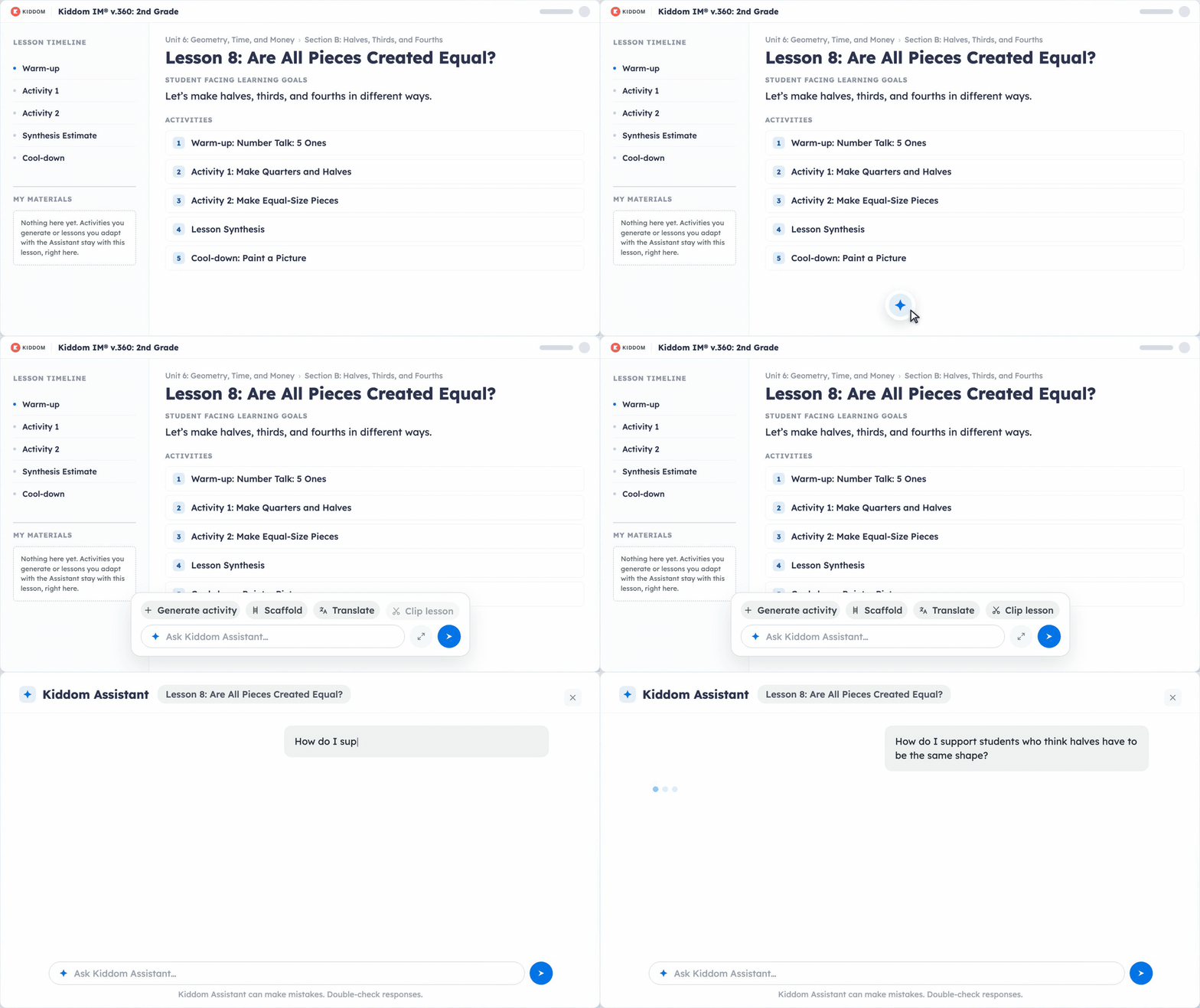
Kiddom Assistant minimizes as you scroll, opens into a floating bar on the lesson page with prompts already in reach, and expands to a full screen.
Same rigor, more support
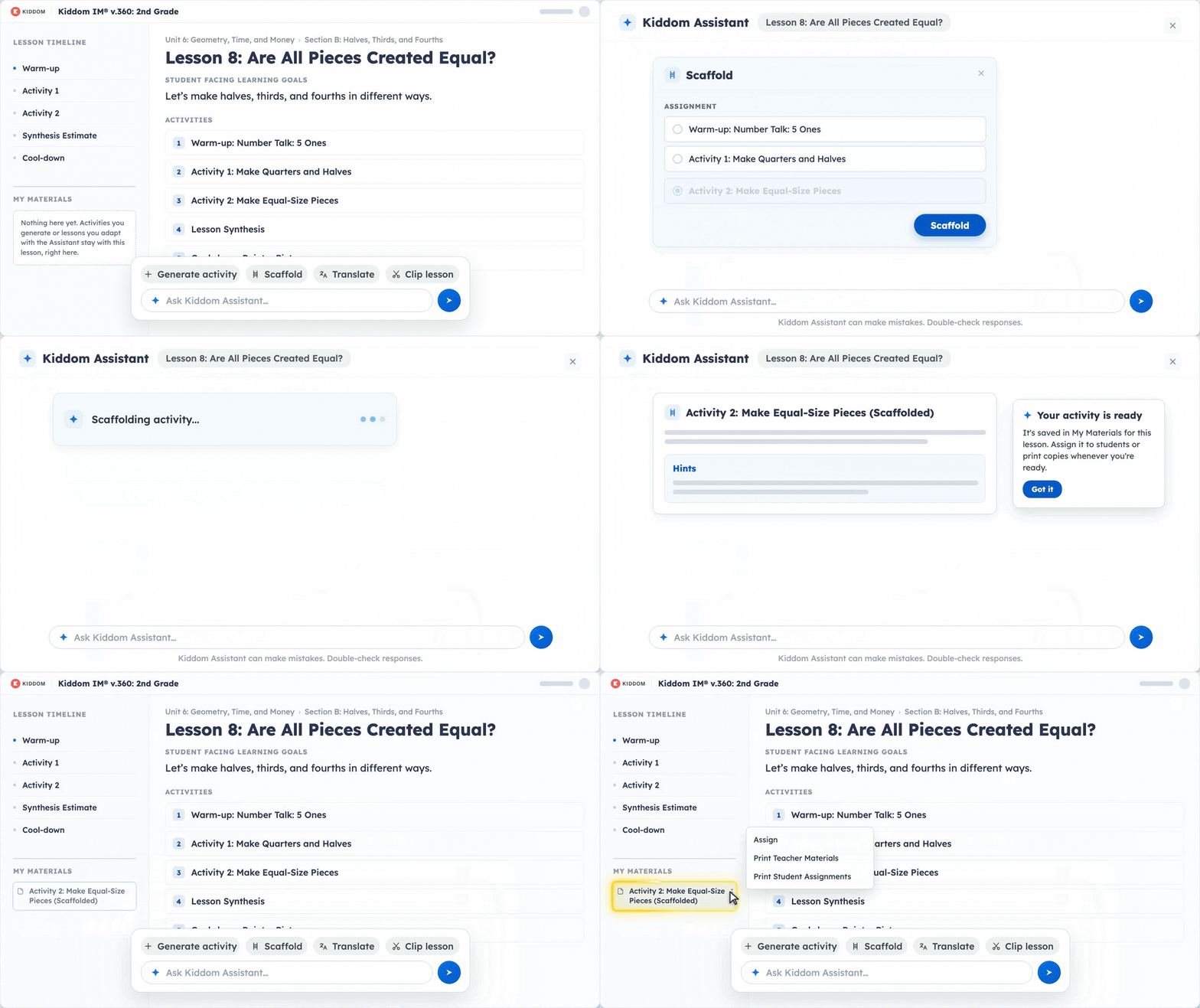
Pick Generate Activity, Scaffold, Translate, or Clip Lesson. Every output is built from the lesson you have open and saves to My Materials, ready to assign or print.
See what to actually ask.
Frequently Asked Questions
What curriculum and grades is this for?
Kiddom Assistant works across all Kiddom lessons and HQIM: math, ELA, science, and social studies. It's especially helpful for teachers who are new to using a given curriculum and can benefit from support in finding specific standards, learning progressions, differentiation supports, and more.
How is it different than ChatGPT?
When you ask ChatGPT (or similar LLMs) a question about a lesson, it searches everything it was ever trained on and gives you its best guess. It doesn't know what curriculum your district uses, what grade level you're teaching, or what a strong response to that specific task actually looks like. The answer might sound right. It isn't always. You then have to copy and paste results to use them in creating lesson materials or taking next steps.
Kiddom Assistant works differently. It's a closed AI, meaning every response is grounded in the actual HQIM in your Kiddom account. Ask about a lesson objective, a unit arc, a vocabulary term, or how one concept connects to the next, and you get an answer that reflects the materials your district chose, not a generic result pulled from somewhere on the web.
How do I get it?
Kiddom Assistant is free and integrated into Kiddom. All teachers using Kiddom can access it without any additional steps. This Learning Intelligence feature is not accessible by student accounts.
